
Overview
KEDA (Kubernetes Event Driven Autoscaling) is an event-driven autoscaler that supports scaling workloads down to 0 replicas—an important feature that traditional HPA cannot achieve.
Core Features
1. Zero Replica Scaling
- Full Resource Release: When no event is triggered, the number of Pods can scale down to 0, consuming no compute resources.
- Fast Response: When a trigger is detected, scale up from 0 to the required number of replicas immediately.
- Cost Optimization: Completely stop workloads during idle periods, significantly reducing cloud resource costs.
2. Event-Driven Mechanism
KEDA supports multiple trigger types:
- Cron Triggers: Time-based scaling
- Message Queues: Redis, RabbitMQ, Kafka, etc.
- HTTP Requests: Based on HTTP request count
- Databases: MySQL, PostgreSQL query results
- Cloud Services: AWS SQS, Azure Service Bus, etc.
Configuration Example Analysis
Deployment Configuration
yaml
apiVersion: apps/v1
kind: Deployment
metadata:
  name: keda-test
  namespace: default
spec:
  replicas: 0  # Initial replicas set to 0, controlled by KEDA
  selector:
    matchLabels:
      app: keda-test
  template:
    metadata:
      labels:
        app: keda-test
    spec:
      containers:
      - name: keda-test
        image: busybox
        command: ["sh", "-c", "echo Hello KEDA; sleep 30"]
Key Points:
replicas: 0: Initial state is 0 replicas- Actual replica count is controlled by KEDA’s ScaledObject
ScaledObject Configuration
yaml
apiVersion: keda.sh/v1alpha1
kind: ScaledObject
metadata:
  name: keda-cron-scaledobject
  namespace: default
spec:
  scaleTargetRef:
    name: keda-test              # Target Deployment name
  pollingInterval: 15            # Check trigger every 15 seconds
  cooldownPeriod: 30             # Scale down 30 seconds after trigger ends
  minReplicaCount: 0             # Minimum replicas is 0 (key setting)
  maxReplicaCount: 2             # Maximum replicas is 2
  triggers:
  - type: cron
    metadata:
      timezone: "Asia/Shanghai"
      start: "0 * * * *"         # Scale up at minute 0 of every hour
      end: "30 * * * *"          # Scale down at minute 30 of every hour
      desiredReplicas: "1"       # Target replicas when scaling up
Key Parameter Explanations
minReplicaCount: 0
- This is the key setting for enabling scale to zero
- When no trigger is satisfied, replicas will scale down to 0
- Traditional HPA usually has a minimum of 1
pollingInterval
- How often KEDA checks trigger conditions
- Too short increases API server load
- Too long affects response speed
cooldownPeriod
- How long to wait before scaling down after triggers are not satisfied
- Prevents frequent scaling actions
- Gives workloads enough time to finish current tasks
Workflow
- Initial State: Deployment replicas is 0, no Pods running
- Trigger Detection: KEDA checks cron trigger every 15 seconds
- Scale Up Phase: When time matches
start, scale up to 1 replica - Running Phase: Pod runs tasks, KEDA keeps monitoring
- Scale Down Phase: After time passes
end, wait 30 seconds then scale down to 0
Observation Process
Initially, KEDA keeps the Deployment at 0 replicas until the trigger is satisfied. 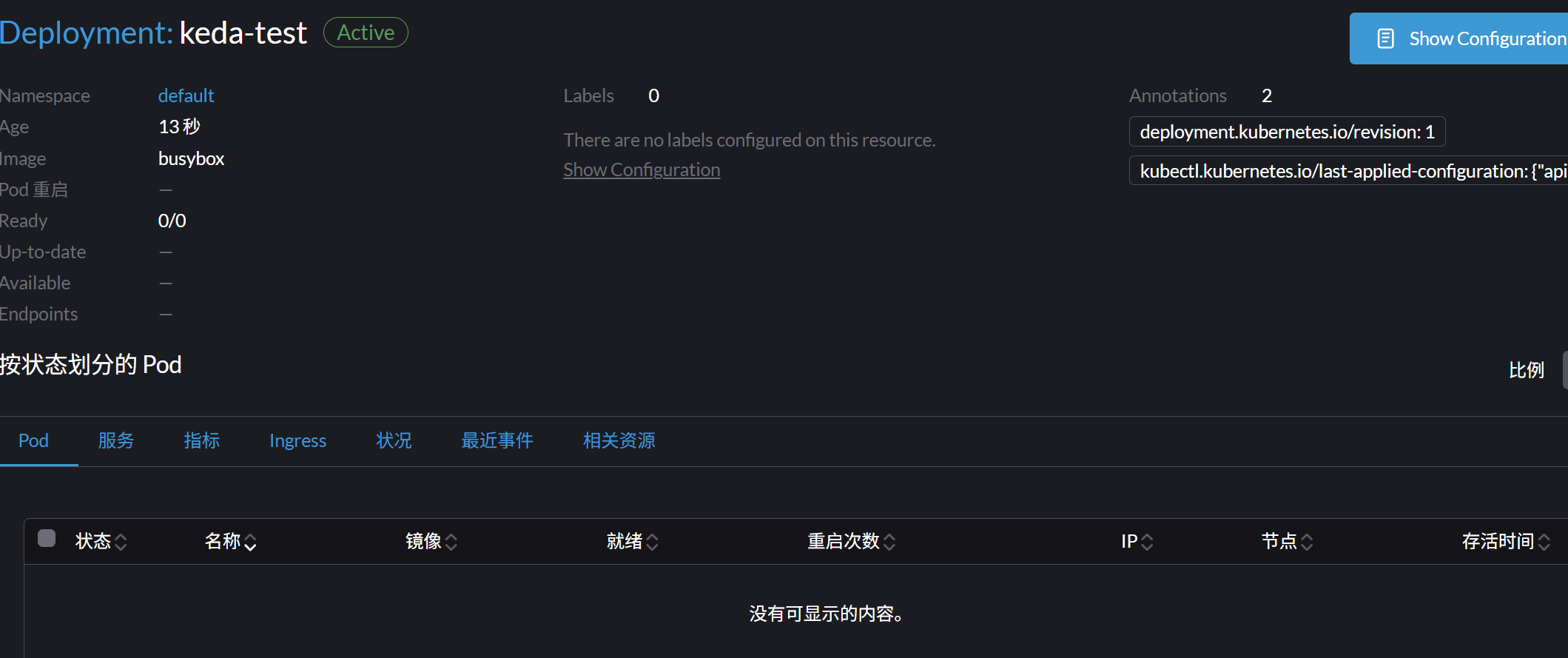
After applying the ScaledObject for keda-test, Pods start to be created.
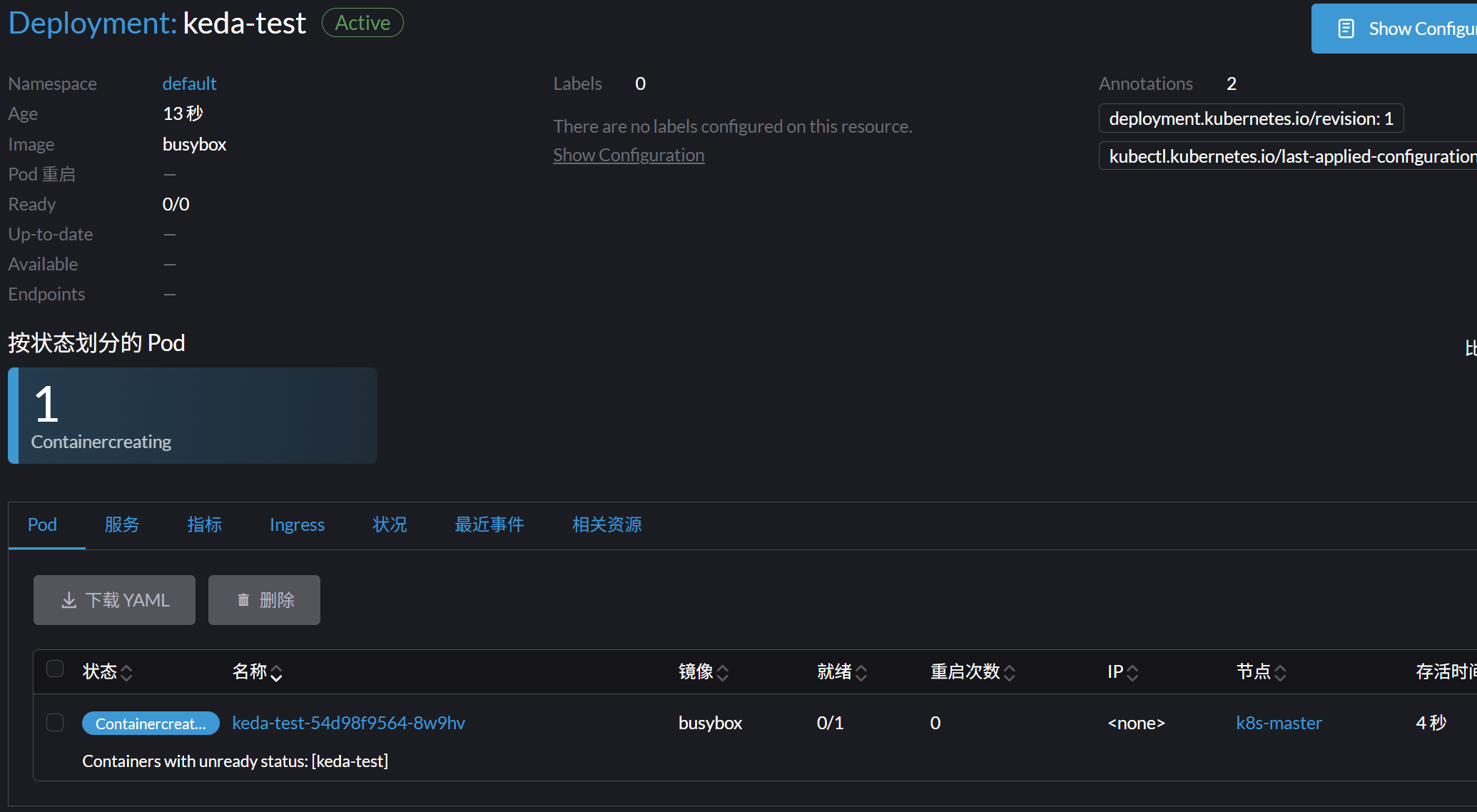
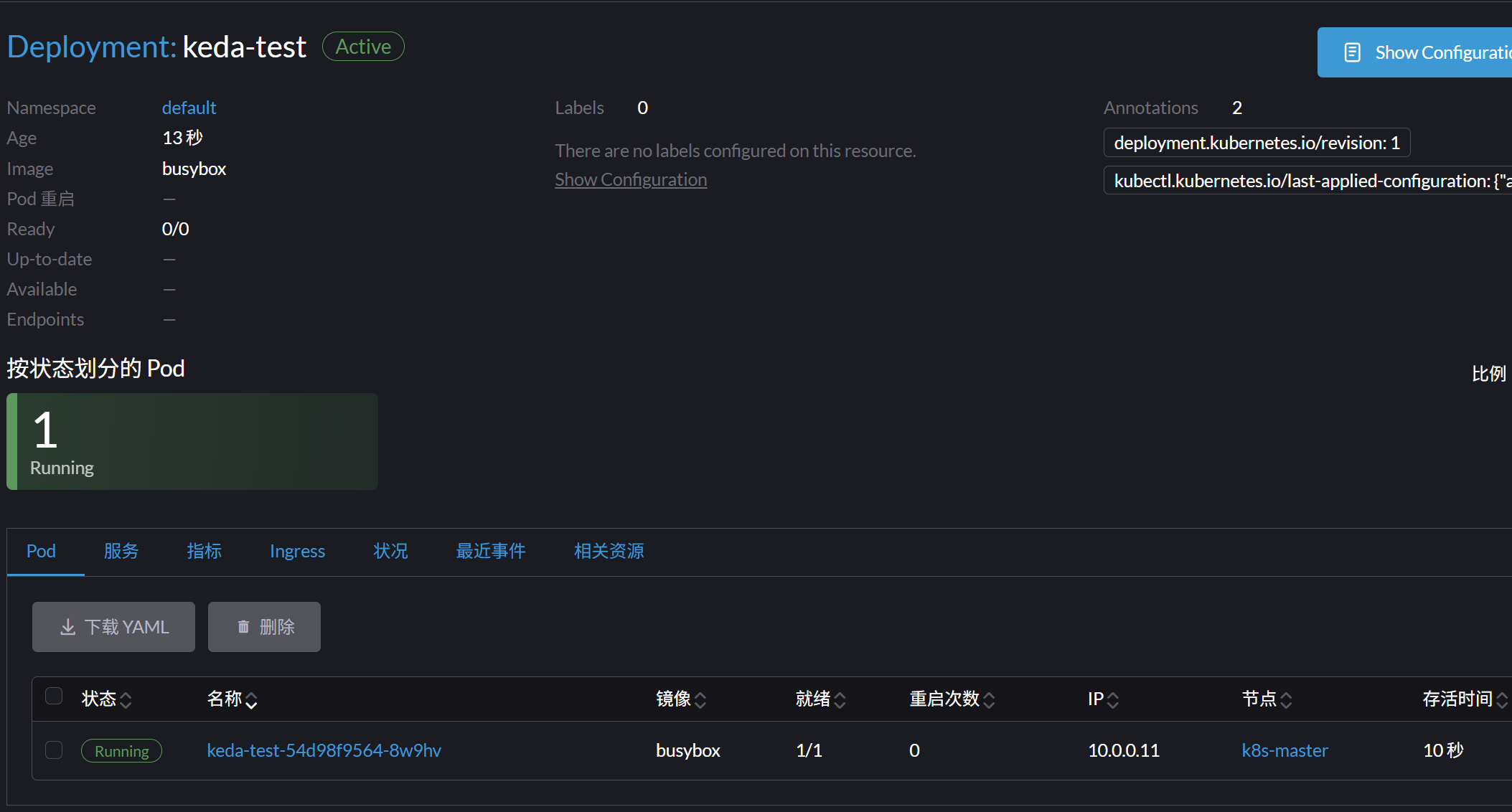
After completion, Pods are terminated. 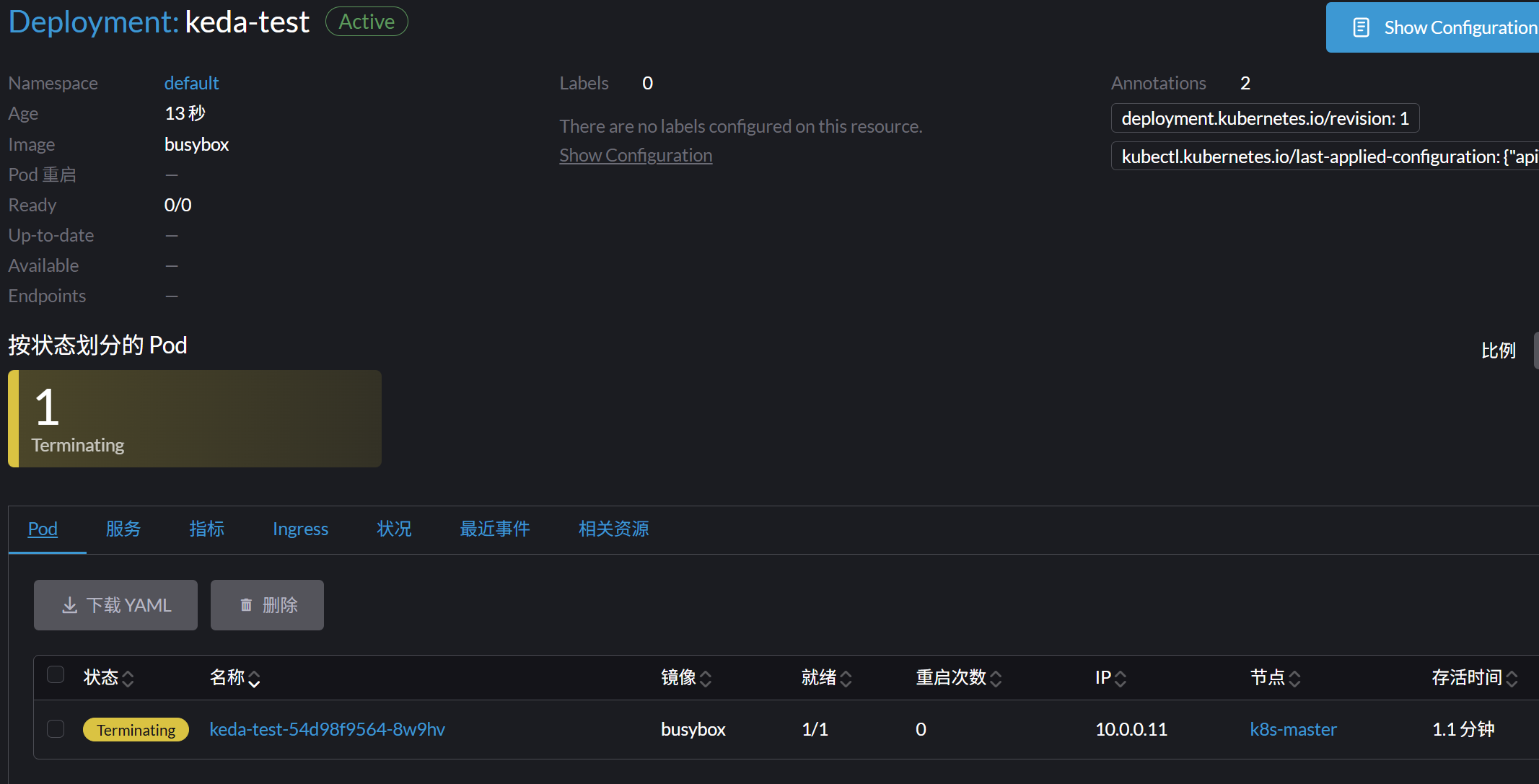
The whole workflow: 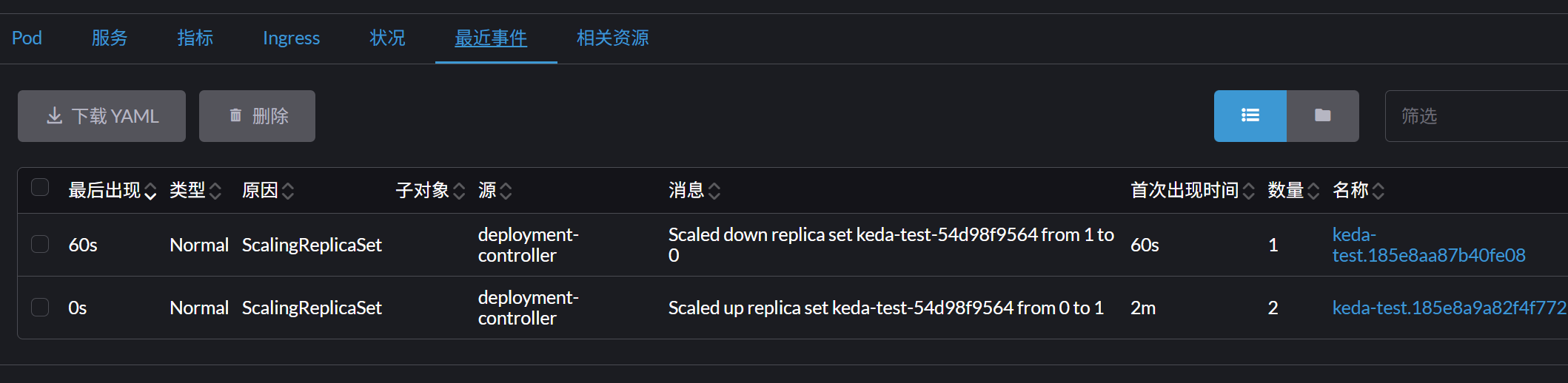
Use Cases
1. Scheduled Jobs
- Data backup jobs
- Report generation
- System maintenance tasks
2. Event-Driven Processing
- Message queue processing
- File upload handling
- Burst API request handling
3. Cost Optimization
- Resource saving for dev/test environments
- Resource release during off-peak hours
- Pay-as-you-go cloud optimization
Advantage Comparison
| Feature | Traditional HPA | KEDA |
|---|---|---|
| Min Replicas | 1 | 0 |
| Trigger Types | CPU/Memory | 60+ event sources |
| Resource Usage | Always occupied | Fully releasable |
| Response Speed | Minutes | Seconds |
| Cost Benefit | Average | Very high |
Notes
- Cold Start Delay: Scaling from 0 requires extra Pod startup time
- State Persistence: Ensure your app is stateless or handles state recovery properly
- Monitoring & Alerts: Monitor the health of KEDA components
- Permission Config: KEDA needs proper RBAC permissions to manage workloads
Best Practices
- Set Intervals Properly: Adjust pollingInterval and cooldownPeriod as needed
- Resource Limits: Set appropriate CPU and memory limits
- Health Checks: Configure readiness and liveness probes
- Log Monitoring: Monitor logs of KEDA and your app for troubleshooting
- Test & Validate: Fully test scaling behavior before deploying to production
Summary
KEDA’s scale-to-zero feature is one of its most valuable capabilities, especially for event-driven and intermittent workloads. With proper configuration, you can significantly reduce resource costs while ensuring service availability.